The XRechnung LNSolutions addon extends Alfresco with full support for German XRechnung electronic invoices. It automatically detects XRechnung XML documents, enriches them with metadata, and generates high-quality HTML and PDF renditions via a dedicated Transform Engine (T‑Engine).
1. Components & Download Links
The solution consists of three main components:
- License Module (mandatory)
Provides license validation for all LNSolutions addons.
Download: lnsolutions-alfresco-license-1.0.0.jar - XRechnung Platform Addon (mandatory)
Alfresco Repository extension for XRechnung detection, metadata aspectxr:xrechnungMetadata, and integration with the T‑Engine.
Download: xrechnung-lnsolutions-platform-1.0.jar - XRechnung T‑Engine (mandatory for HTML/PDF)
Standalone Spring Boot microservice that transforms XRechnung XML to HTML and feeds Alfresco’s PDF pipeline.
Download JAR: xrechnung-tengine-1.0.jar
or Docker Image: xrechnung-tengine:latest
2. Prerequisites
- Alfresco Content Services 7.x+ (Repository)
- Java 11+ on the Alfresco side and T‑Engine side
- Access to deploy JARs (Tomcat
WEB-INF/libor custom Docker image) - Valid LNSolutions license key (or trial license)
To request a trial license, use:
Request XRechnung trial license
3. Installing the License Module
- Stop Alfresco.
- Copy
lnsolutions-alfresco-license-1.0.0.jarto:<TOMCAT>/webapps/alfresco/WEB-INF/lib/(non-Docker)- or bake it into your custom Alfresco Docker image.
- Start Alfresco and verify the license module is loaded (check logs).
- Install or upload your license key using the key xrechnung.license.public.key in your alfresco-global.properties file
4. Installing the XRechnung Platform Addon
- Stop Alfresco.
- Copy
xrechnung-lnsolutions-platform-1.0-SNAPSHOT.jarto:<TOMCAT>/webapps/alfresco/WEB-INF/lib/(non-Docker)- or into your custom Alfresco Docker image.
- Ensure the license module is loaded before this module (the XRechnung module declares a dependency on
lnsolutions-alfresco-license). - Start Alfresco and check logs for XRechnung module initialization.
4.1. Alfresco Configuration
In alfresco-global.properties (or equivalent Docker environment), add the XRechnung T‑Engine URL:
# URL of the XRechnung Transform Engine
localTransform.xrechnung.url=http://xrechnung-tengine:8091
Adjust the host/port to your environment (e.g. http://localhost:8091 for standalone testing).
5. Deploying the XRechnung T‑Engine
5.1. Run as Docker Container (recommended)
- Load or build the Docker image:
docker run -d -p 8091:8091 --name xrechnung-tengine xrechnung-tengine:latest - Verify the service is running:
curl http://localhost:8091/ready
5.2. Run as Standalone JAR
- Start the service:
java -jar xrechnung-tengine-1.0-SNAPSHOT.jar - Verify readiness:
curl http://localhost:8091/ready
5.3. T‑Engine Configuration (License & Core Transform)
Configure the following environment variables for the T‑Engine (e.g. in a .env file or service configuration):
XRECHNUNG_TRANSFORM_CONFIG=/opt/xrechnung-tengine/config/xrechnung-transform-config.json
CORE_AIO_TRANSFORM_URL=http://transform-core-aio:8090/transform
LICENSE_VALIDATION_URL=http://<alfresco-host>:8080/alfresco/service/lnsolutions/admin/license-status
The T‑Engine calls LICENSE_VALIDATION_URL before each transform to enforce your license via Alfresco.
6. Using the XRechnung Addon
6.1. Automatic Detection & Metadata
- Log into Alfresco as an administrator or user.
- Upload an XRechnung XML invoice (UBL or CII) to any folder.
- The XRechnungDetectionBehavior inspects the content and, if valid, automatically applies the XRechnung Metadata aspect (
xr:xrechnungMetadata). - In the document properties, you will see XRechnung-specific fields such as:
Digital Invoice Profile,Digital Invoice Profile Description (Short), andIs Digital Invoice.
6.2. HTML Preview
- Open the document details page in Alfresco.
- Use the built-in preview: Alfresco requests an HTML rendition from the XRechnung T‑Engine and displays a nicely formatted invoice.
- For technical testing, you can also call the web script:
http://<alfresco-host>:8080/alfresco/service/lnsolutions/node/xrechnung-html?id={nodeId}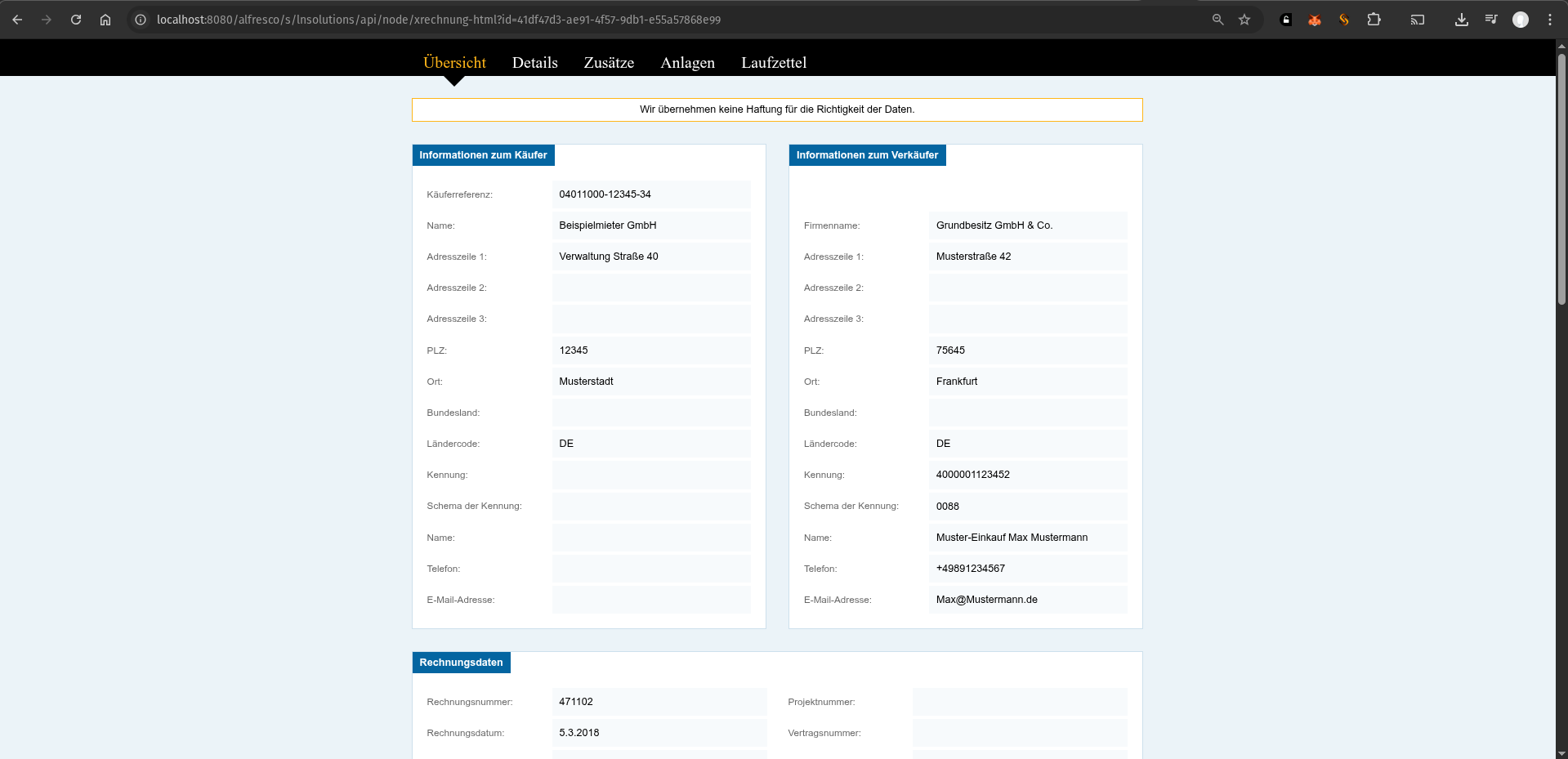
6.3. PDF Renditions
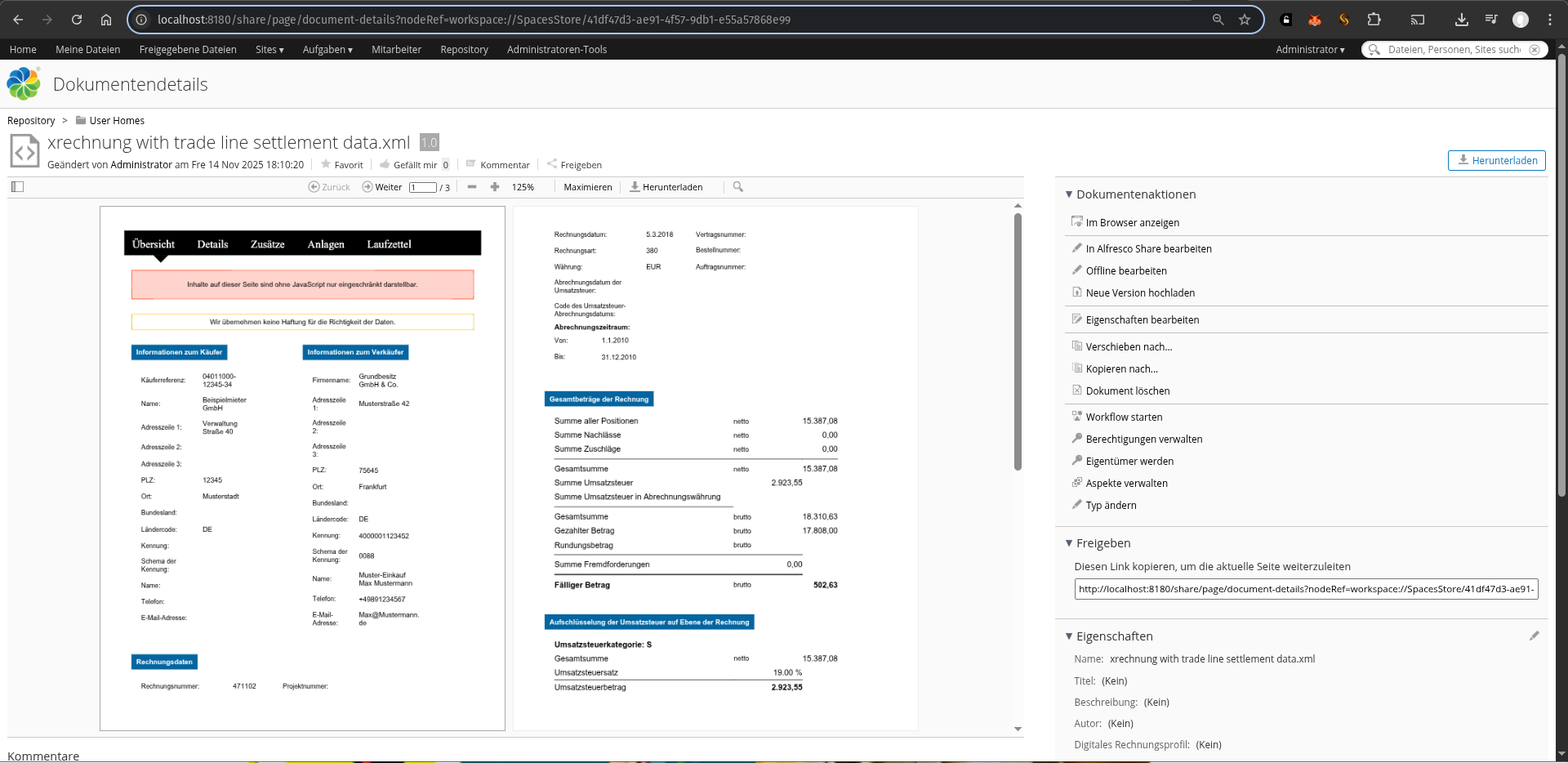
The addon also supports a PDF pipeline: XRechnung XML → HTML (T‑Engine) → PDF (Alfresco pdfRenderer).
- Upload an XRechnung XML document.
- Wait for Alfresco to generate renditions.
- Download the PDF rendition from the document details page and verify layout and characters (e.g. umlauts) are correct.
7. XRechnung Indicator & Behavior
The XRechnung addon uses the XRechnung Metadata aspect (xr:xrechnungMetadata) as the technical indicator that a document is a valid XRechnung invoice.
- Is Digital Invoice (
xr:isDigitalInvoice): Boolean flag that is set when a document is detected as XRechnung. - Digital Invoice Profile (
xr:digitalInvoiceProfile): Stores the detected digital invoice profile identifier. - Digital Invoice Profile Description (Short) (
xr:digitalInvoiceProfileDescShort): Short, human‑readable label for the detected profile (e.g. displayed as “Digital Invoice Profile Description (Short)” in Alfresco).
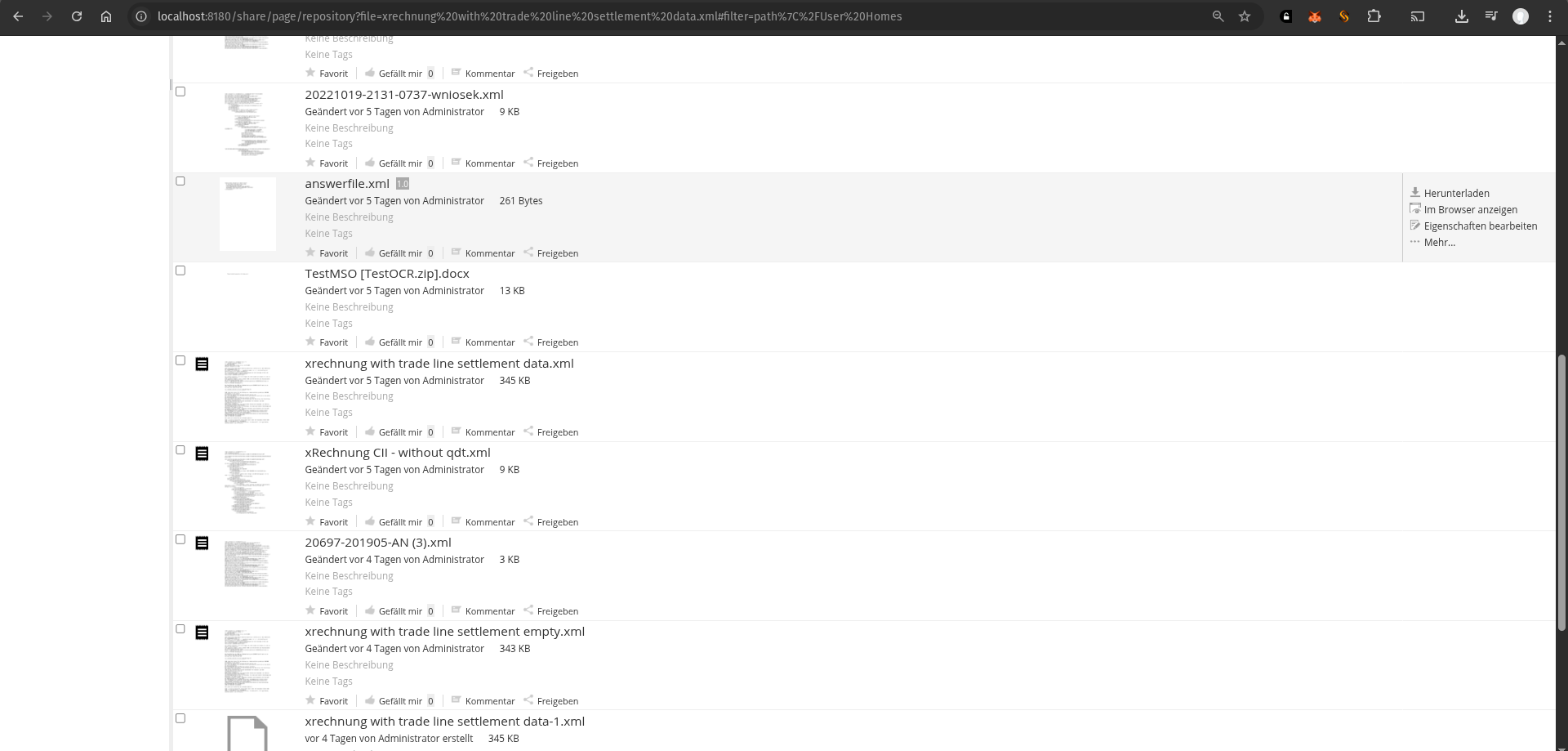
The XRechnungDetectionBehavior listens to document creation and updates for cm:content nodes. When an uploaded XML file matches the XRechnung patterns (based on its content, metadata, or filename), the behavior automatically adds the xr:xrechnungMetadata aspect and sets xr:isDigitalInvoice = true.
Only documents that carry this XRechnung indicator (the xr:xrechnungMetadata aspect with xr:isDigitalInvoice=true) are treated as XRechnung by the HTML/PDF transformation pipeline. Generic XML files remain unaffected until they are positively identified as XRechnung.
8. Requesting a Trial License
If you want to evaluate the XRechnung addon before purchasing a full license, request a trial here:
Request XRechnung Trial License
Or contact us for a permanent license.